
Compliance Center
Compliance Center gives authorized tenant users an interface to review sign-ins, access changes, and device actions. Security enforcement and auditability is enabled by viewing user and role-related actions.
From an operational focus, when investigating an unexpected change to room equipment, you can check who initiated an action, when it happened, and its recorded outcome.
Introduction
The foundation of Compliance Center is a time-stamped, user- or system-attributed audit log of events and actions within a NetSpeek tenant. These logs can be filtered, searched, and exported to a CSV file.
What Compliance Center enables you to do
Open Compliance Center by selecting it from the lower-left navigation. Within the Compliance Center tab of Platform management, you can:
- View a list of tenant events relevant to security and operational audits.
- Filter, sort, and search the data by user, system, tenant/sub-tenant, timeframe, activity type, and outcome, including combinations of criteria for precise filtering. (For example, device-related actions taken by user Joe Smith in this tenant over the past week where the command was permitted.)
- Review the detailed data about individual actions and events.
- Export data to a CSV file.
Compliance Center’s limits
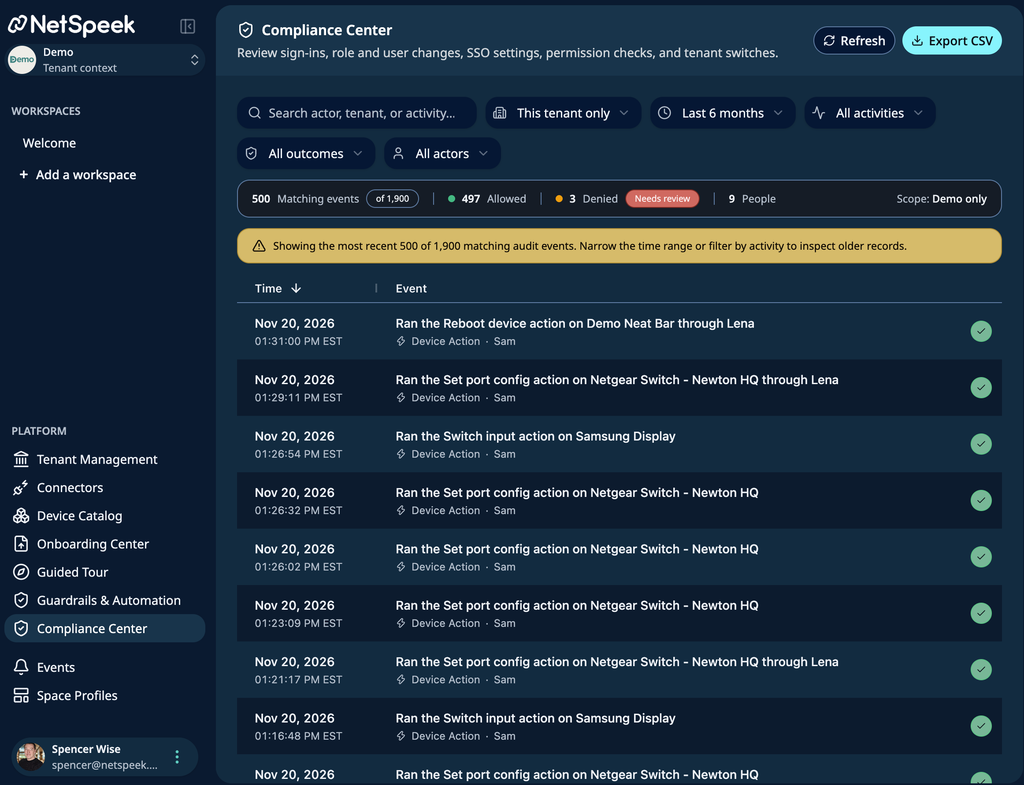
The event list interface in the NetSpeek portal UI shows up to the 500 most recent records matching your active search criteria. A CSV export of the same search criteria contains the latest 10,000 matching records.
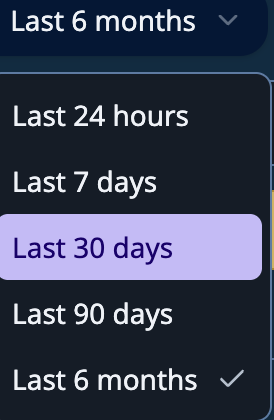
Historical data is available for the past 6 months.
Permissions and Access
The Compliance Center feature depends on the Audit:Read permission, which is available to Owner, Administrator, and Manager roles. For details see Role-Based Access Control (RBAC) Implementation Guide.
Using the Compliance Center
Compliance Center is a dynamic, flexible interface. Some examples of its capabilities are described in this guide, but it is not possible to comprehensively document all potential uses.
Interface and controls
The overview image below depicts many aspects of Compliance Center – this guide will address some of them in more detail.
Filtering, sorting, and searching
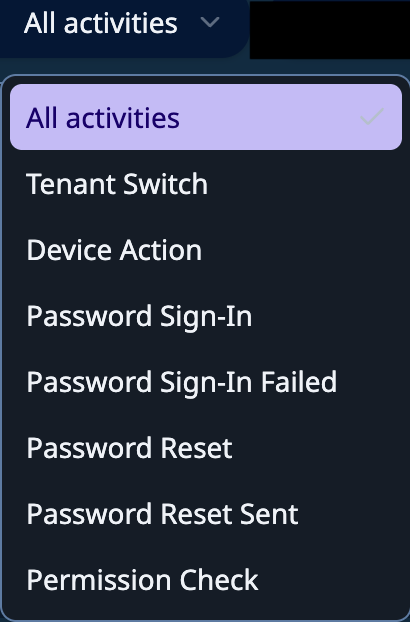
The controls at the top of the inferface permit the user to create a filter that is as broad or narrow as needed to return the desired results. The default selection (returning the broadest results) for each filter is shown here.

The available selections for the timeframe and activity filters is shown below.
Viewing Event Details
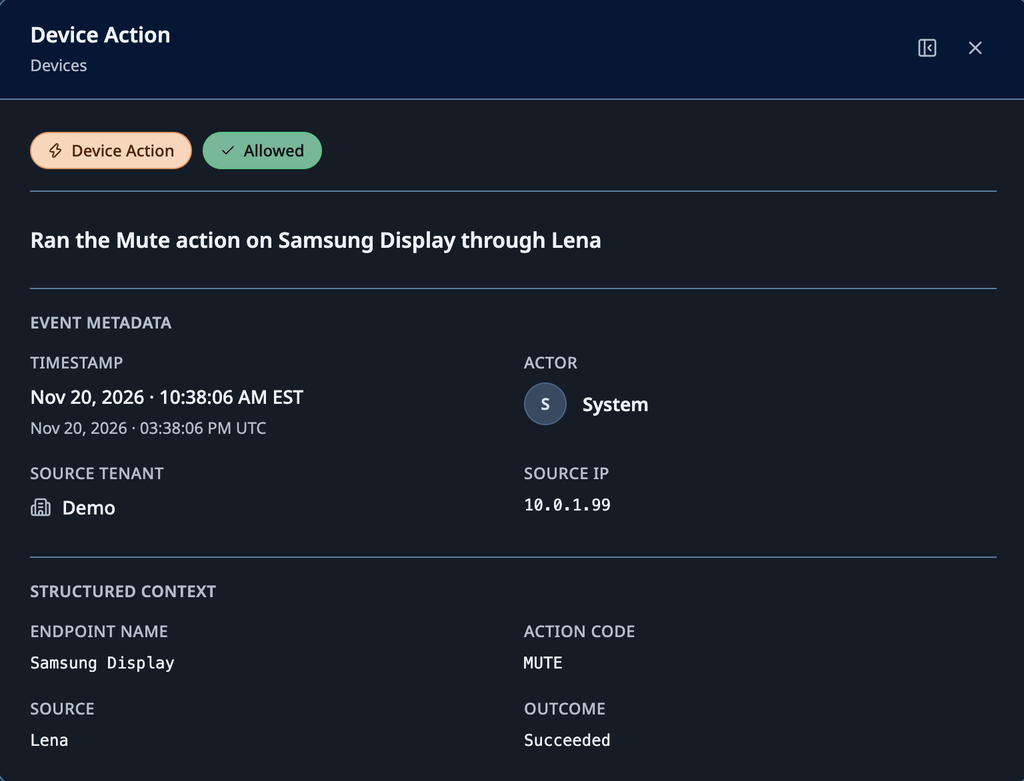
Each event in the list, when selected, shows the details about the event. The details vary based on the nature of the event – device actions and password resets, for example, will of course have different types of metadata. Actions are attributed to an actor – in some cases a specific user, and in cases of automation or pre-scheduling, to System meaning Lena or another component of the NetSpeek platform.
Support
If you have questions or issues with the Compliance Center, contact NetSpeek Support at support@netspeek.com.