
NEC/Sharp Integration Guide
This document serves as a comprehensive guide that outlines the steps required to integrate NEC/Sharp displays with the NetSpeek platform.
Prerequisites
Before beginning the integration, confirm the following:
- Your NEC/Sharp display is powered on and connected to a network that is routable to/from your NetSpeek Edge.
- You have deployed a NetSpeek Edge client as described here: https://docs.netspeek.ai/netspeek-edge-installation-guide/
- Note: This integration requires an Edge running software version
Beta6or later.
- Note: This integration requires an Edge running software version
Extended Prerequisites: Device configuration
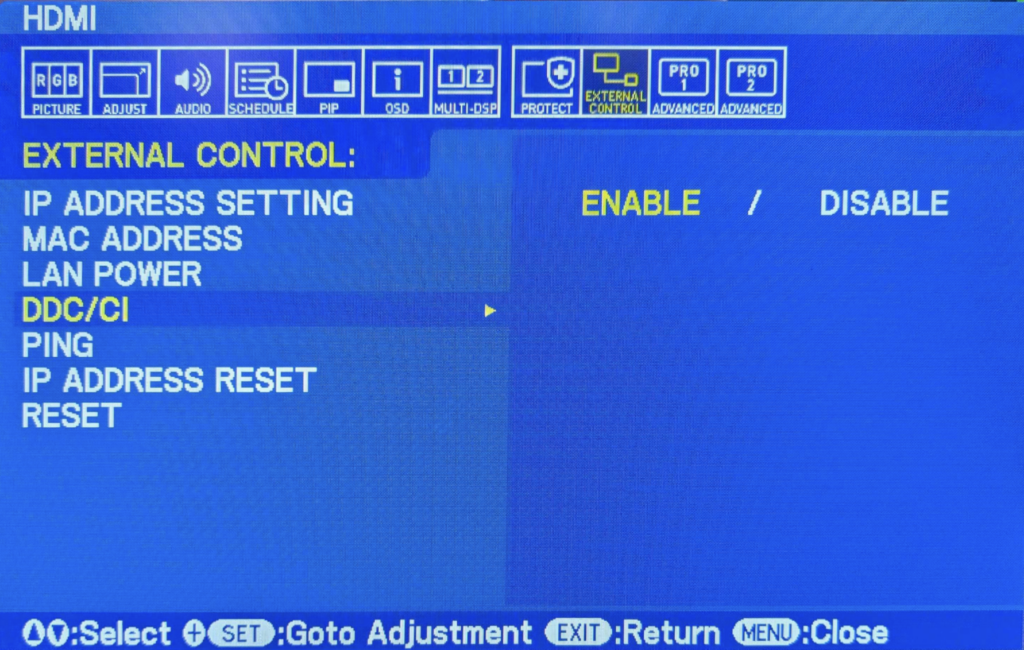
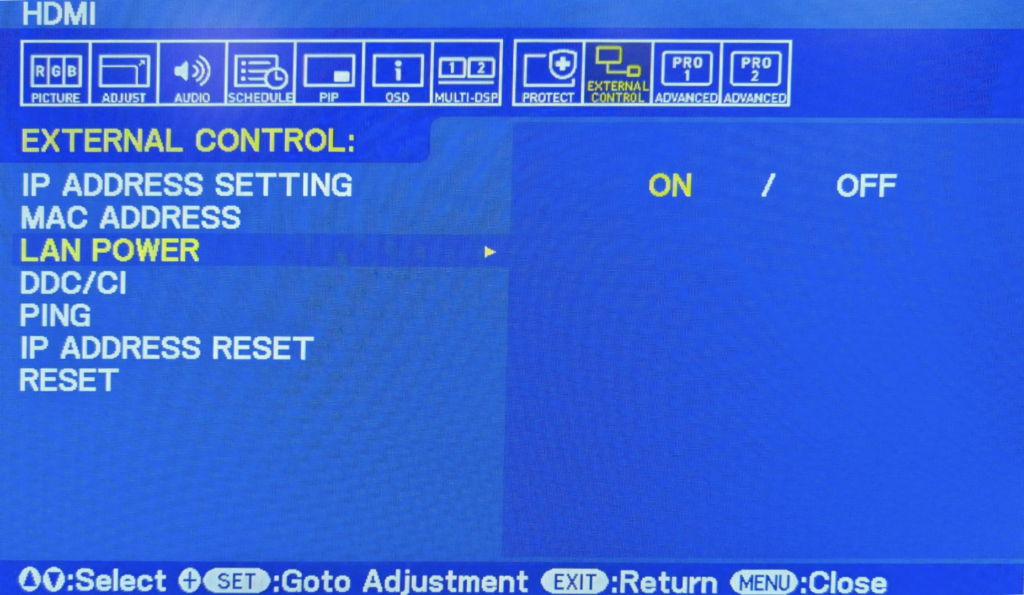
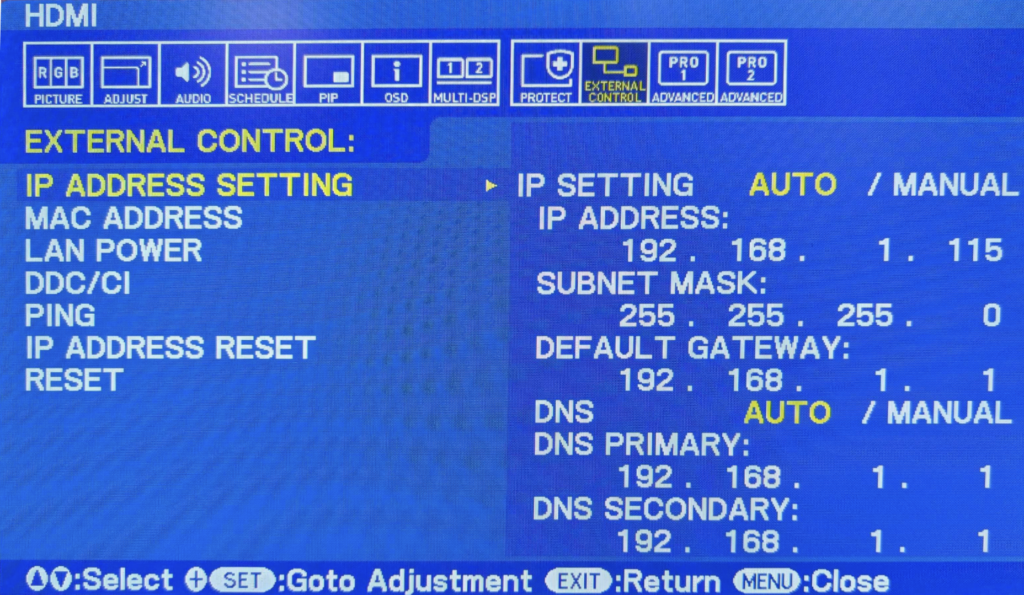
Ensure that “External Control” or similar mechanism is enabled and available via LAN IP address (and not another protocol such as RS232). Configuration menus vary by device model and firmware version across the NEC/Sharp portfolio; an example using an NEC P-Series display is provided in this guide, and it is expected that similar steps will be needed for any NEC/Sharp device to ensure that commands from the Edge VM are permitted.
Enabling External Control:
Enabling LAN-based power management:
Configuring the display’s IP address:
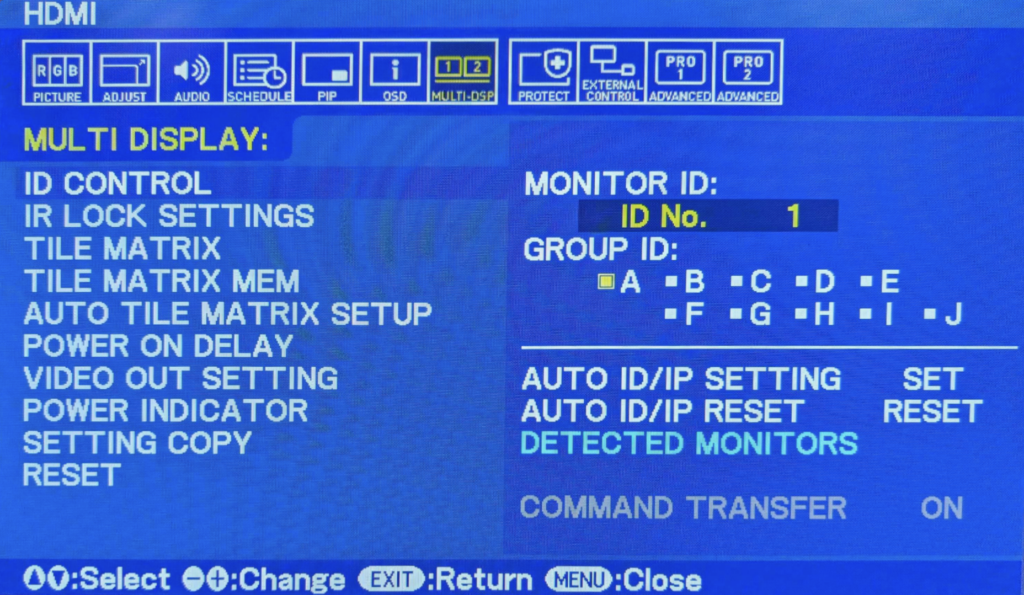
Provided for contextual awareness – relevant to RS-232 but NOT used in NetSpeek integration – multi-display controls, monitor ID, and group ID:
Step 1. Add Device to NetSpeek Room Canvas
Device Provisioning Flow
- In the NetSpeek Console, navigate to Room Management
- Select the room you wish to add your NEC/Sharp device to
- Click Launch Room Canvas
- Click Add device to room
- Choose your desired device from the manufacturer → device model list.
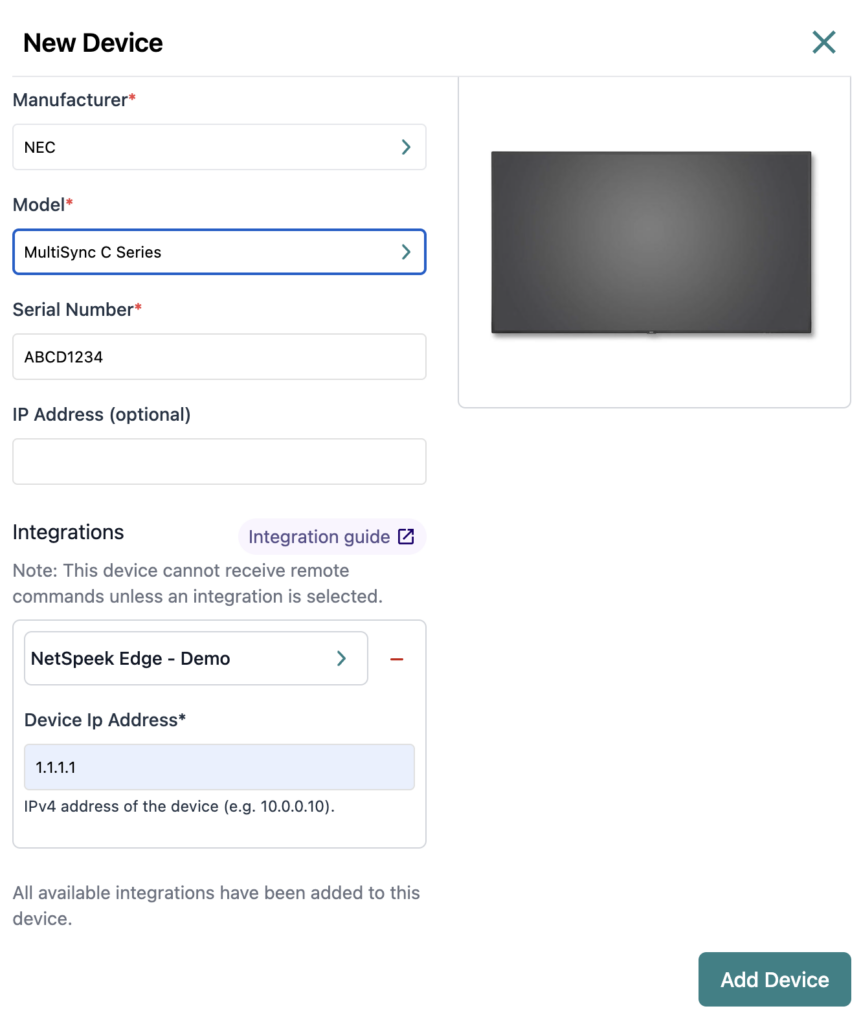
- Configure the appropriate values, and in the “Integrations” section, select a previously created NetSpeek Edge VM integration. Ensure that the Edge VM is on a network that can reach the device’s configured IP address.
- In the configuration panel, enter the following fields:
- Device IP Address (static/reserved IP, or DHCP)
- Serial Number
Verification
Once the relevant settings described above are configured, to validate the integration:
- To validate the integration, select an NEC/Sharp device in the NetSpeek console, open the Device Actions Tab, and select an available device action. It is generally advisable to test by dispatching a non-intrusive command such as a
Get Status. - On the device, observe the selected action occurring.
Troubleshooting
Connection Issues
- Confirm the IP address is correct and accessible from the NetSpeek Edge VM’s network segment.
- Ensure the port used is not blocked by firewall rules on the machine running your NetSpeek Edge.
Support
If you run into any issues during onboarding or have questions, contact NetSpeek Support at support@netspeek.com.