
NetSpeek 1.13 September 2026 Release Notes
NetSpeek Platform 1.13 Update – September 23, 2026
This release includes the launch versions of two features focused on getting your device information into NetSpeek quickly, and keeping the records of what you have complete. Onboarding Center provides a bulk-import workflow for room hierarchy and device information, and Device Catalog enables adding user-defined device types to complete NetSpeek Canvas with devices in the room that are not yet supported by the NetSpeek platform.
With Onboarding Center, the full campus-building-floor location hierarchy of Rooms, the collaboration devices in them, and the connections between those devices can be loaded from a spreadsheet, with user interface guidance to validate the data and make any necessary corrections or changes before import.
With Device Catalog, each tenant can keep its own custom catalog of equipment, so any device NetSpeek does not integrate with can still be recorded as part of the room it resides in.
The NetSpeek Windows Runtime Service file is also moved to a hosting location within the netspeek.ai domain, simplifying firewall configurations required to access it for environments with strict security policies.
Please read first: changes which may affect existing deployments
Network and firewall requirements changes
The NetSpeek Windows Runtime Service now downloads its installer from a NetSpeek address. Updates are served from downloads.<environment>.netspeek.ai instead of a temporary Amazon S3 address. An Intune-managed Windows device no longer needs to reach Amazon Web Services (amazonaws.com) addresses for updates.
| From | To | Port | Purpose |
|---|---|---|---|
| Orchestrated Windows OS device | downloads.<environment>.netspeek.ai | TCP 443 outbound | Windows Runtime Service updates. Replaces the Amazon S3 address published in 1.12 |
See Network and Firewall Requirements for the full list.
New features
Introducing Onboarding Center – Bring your meeting rooms in from a spreadsheet
For an organization running hundreds of rooms across several sites, data entry is often the largest body of work required to enable orchestration across the estate, and it traditionally falls on the AV or IT team.
The Onboarding Center dramatically reduces the effort needed to deploy Lena at scale. Describe your rooms in a spreadsheet – usually an extension of information you already have from initial rollout or an integrator handover – and Onboarding Center’s wizard imports the rooms, the devices in them, the connections between devices, and the device configurations needed for orchestration in a single pass. This is a self-service workflow available to NetSpeek customers to use at any time.
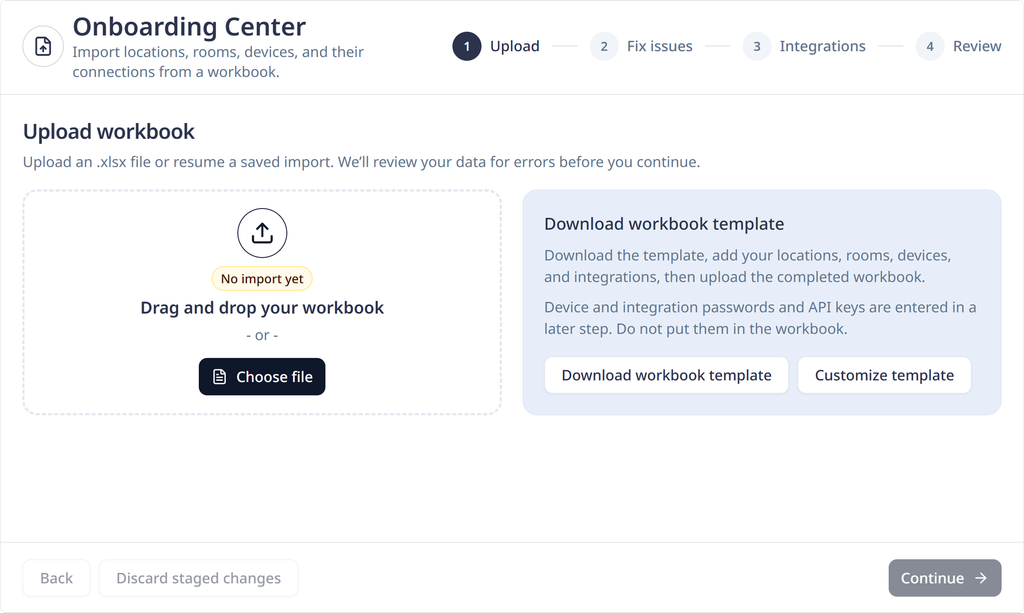
Start from a template. Download a template workbook (optionally, customized for relevance for your tenant, with only the manufacturers, models and integrations you care about) describing the data Lena needs for orchestration. Fill in the rooms and the equipment you have, and upload your completed spreadsheet into the Onboarding Center’s guided import process.
Fix what needs fixing. Anything that cannot be accepted is listed, identifying the row and field it came from, so any data problem is a precisely defined line item to correct rather than a failed import. Most issues can be corrected through the import wizard’s data correction assistant.
Define how each device is managed. Devices are matched to the integrations that Lena will use to orchestrate them.
Verify the data to be imported before the database is touched. A validation check runs the entire import as a simulation without writing anything to the database, and displays what would be created, updated and skipped. Nothing changes in your tenant until you have reviewed the import plan and chosen to go ahead.
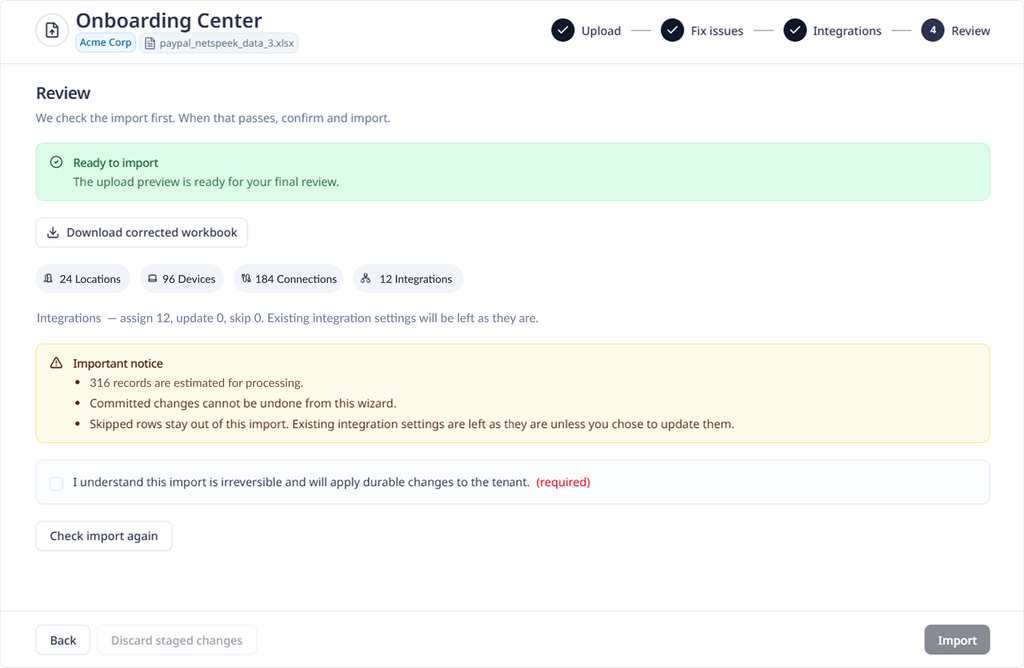
The process supports importing up to 20,000 devices within a single spreadsheet, and the next 20,000 can be supported with a second spreadsheet.
See the Onboarding Center Docs page for detailed guidance, a sample workbook with example data, and specifics about supported workflows like device replacement.
Introducing Device Catalog – Identify every device in a room, even those NetSpeek does not control
A room may hold more than the collaboration devices NetSpeek orchestrates. Prior to the 1.13 platform release, NetSpeek Canvas only depicted devices with an available integration for control, so rooms represented in NetSpeek often did not show all of the relevant components in the space.
The Device Catalog feature closes that gap, and allows for arbitrary definition of any device the user desires. Add any manufacturer, model, port types, and imagery to represent in-room devices not currently part of the NetSpeek catalog, then add them to Room Canvas alongside the devices NetSpeek integrates with. If desired, add in-room components that are not electronic devices, for example furniture such as Table with 6 chairs or Dry-Erase Whiteboard, etc.
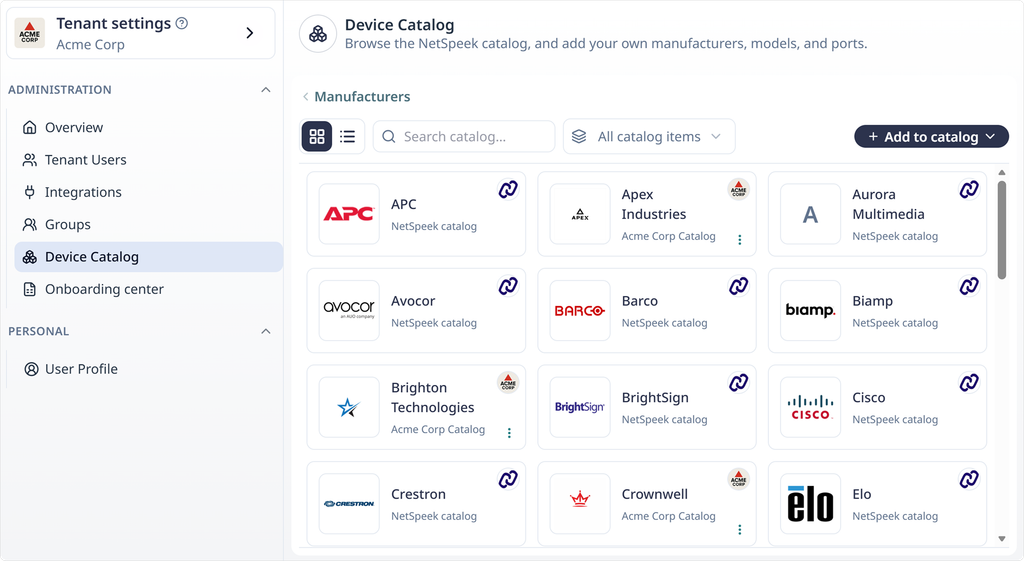
Canvas and Device List becomes a complete asset record. A custom Device Catalog entry describes what a device is, where it resides, and what it connects to. It does not give NetSpeek a mechanism to monitor that device’s status or send it commands: control must still come from an integration, and is limited to NetSpeek’s catalog of supported devices.
The Device Catalog is configured in Tenant Settings. Manufacturers and models open as a gallery, and ports as a list. A user-configured device can be previewed exactly as it will appear on Canvas before adding it to Room. NetSpeek’s catalog of supported devices appears alongside your custom entries for reference, but NetSpeek’s catalog cannot be edited. Your custom entries are available only to the specific tenant you create them in.
See the Device Catalog guide for details.
Note
As of this release, the Onboarding Center and the Device Catalog are separate features that do not interact. This means that Onboarding Center only supports import of devices in the NetSpeek catalog, not user-defined devices.
Improvements
- Lena displays progress as soon as a device query starts. Progress is reported immediately as a command is queued rather than when the following step completes, so a question about a device no longer looks paused while the command needed to answer the question is running.
- A failed device action provides an explanation. Where an action could not be carried out, the reason is reported in words rather than as a fault code. Additionally, a device that doesn’t respond is distinguished from one that answered with a specific error message.
Fixes
- Opening a Room Check Report from an emailed link could in some circumstances open a troubleshooting conversation, rather than the expected Room Check Report. These links now open the correct Room Check Report.
- A Samsung display with a configured
Device Idvalue could not be controlled, because the value was parsed incorrectly. This has been corrected, and supportedDevice Idvalues as described in the Samsung MDC Integration Guide work properly. - Lena could describe a troubleshooting plan in the wrong tense – describing a future plan yet to be executed as though it had run already. This could result in incorrect descriptions of situations when the plan could not be executed as Lena originally intended, such as where a device could not be queried, or where a plan stopped or changed part way based on device responses. Lena now says clearly what she could not do.
- A device search could come back empty when a filter in the request could not be matched or validated. Now, in these cases the filter is dropped and a wider result is returned, so some fleet questions now return more devices than before.
Security
- The NetSpeek Windows Runtime Service installer is served from a NetSpeek-domain address.
Versions list
The table below identifies the versions included in this release for the NetSpeek platform and related components – note that in some cases a component may not have a new release corresponding to a platform update.
| Component | Version |
|---|---|
| NetSpeek Platform | 1.13 |
| Edge VM | 1.4.1 |
| NetSpeek Windows Runtime Service | 1.3.0 (no change from prior platform release) |