NetSpeek 1.1 March 2026 Release Notes
This release adds enterprise identity controls (RBAC), Edge VM updates, AI-native troubleshooting for Lena, a redesigned console and Canvas experience, and security improvements across the NetSpeek platform.
Release highlights
- Role-based access control (RBAC) – Identity and permission management across the platform
- NetSpeek Edge VM updates – Cloud-managed provisioning, OTA updates, and cloud-update-able integration modules
- Lena: AI-native troubleshooting (preview) – Guided troubleshooting workflows, streaming chat, and cross-vendor knowledge search
- UI 1.1 – Always-on Lena console, NetSpeek Canvas device lifecycle, and updated chat interface
- What’s New – In-product section for platform updates with per-user read tracking
- Security improvements – RBAC-scoped audit logging for Lena and user actions
1. Role-based access control (RBAC)
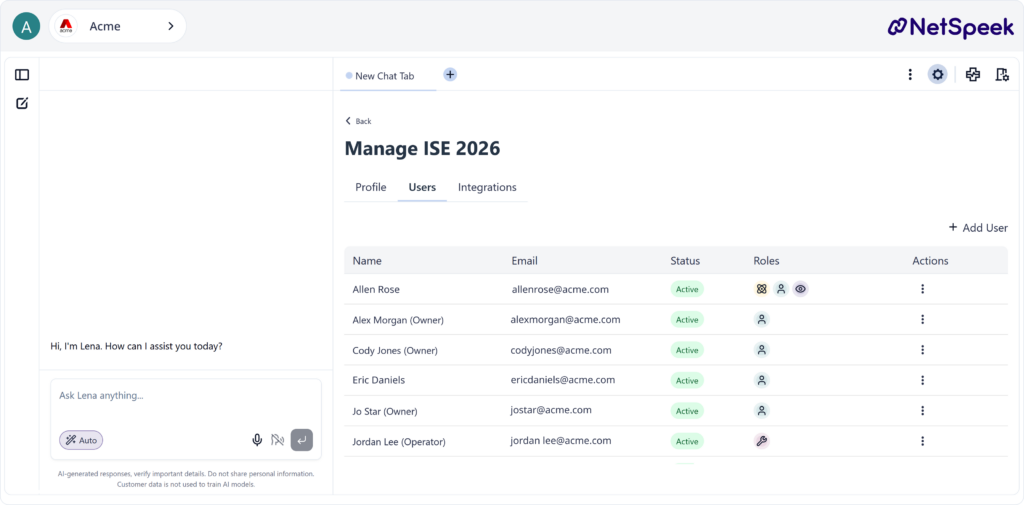
NetSpeek now includes a permissions system that gives administrators fine-grained control over who can access what across the platform.
What you can do:
- Scope permissions by customer across organizational hierarchies
- Assign roles to individual users
- Enforce permissions across the entire platform, both API and web application
A built-in Owner role is automatically assigned to all existing users during upgrade.
2. NetSpeek Edge VM updates
The NetSpeek Edge VM can now be distributed as an OVA file, enabling easier and simpler deployment and expanded hypervisor compatibility. Additionally, the Edge VM now supports connectivity to the NetSpeek platform for cloud-integrated features like over-the-air updates, persistent state tracking, and the ability to update device integrations, and add new ones, without a new VM deployment.
What’s new:
- Easier deployment via OVA – A single OVA (Open Virtual Appliance) file works with VMware, VirtualBox, and other virtual machine platforms, enabling simpler, quicker, more compatible VM deployment
- Over-the-air updates – Deploy software updates to Edge VMs without physical access
- Persistent device state – Device data, deployment status, and provisioning history are stored and tracked
- Update-able integration modules – New device integrations can be added without major software updates, reducing deployment cycles
3. Lena: AI-native troubleshooting, streaming chat, and knowledge search
Lena now includes an AI-native troubleshooting mode alongside a modern streaming chat experience and cross-vendor knowledge search. This is a preview of Lena’s troubleshooting capabilities, with more to come.
Intelligent troubleshooting (preview)
A new troubleshooting workflow that guides admins through resolving device issues step by step:
- Lena analyzes device status and your reported symptoms
- Generates a structured troubleshooting plan
- Asks clarifying questions when needed (human-in-the-loop)
- Executes corrective actions on devices
- Validates whether the issue is resolved
- Produces a resolution report
Streaming chat
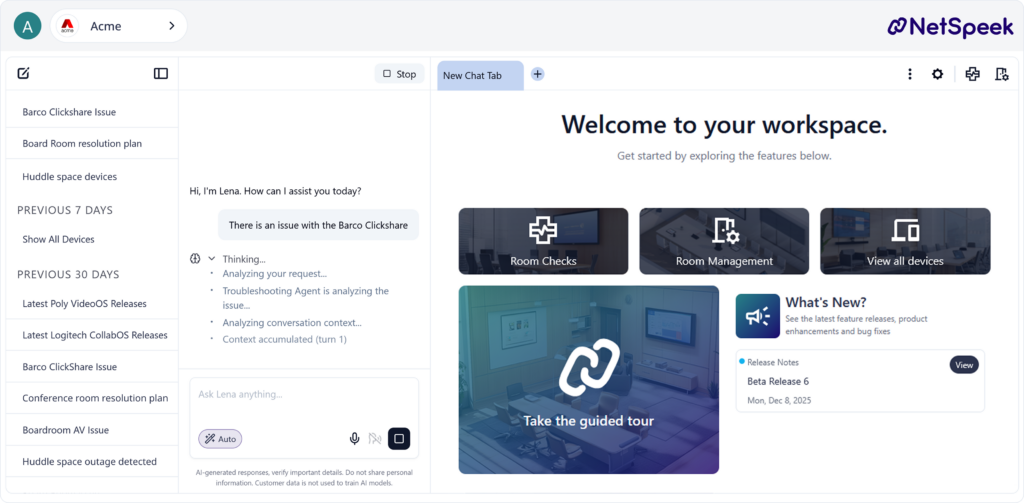
- Live streaming responses, token by token
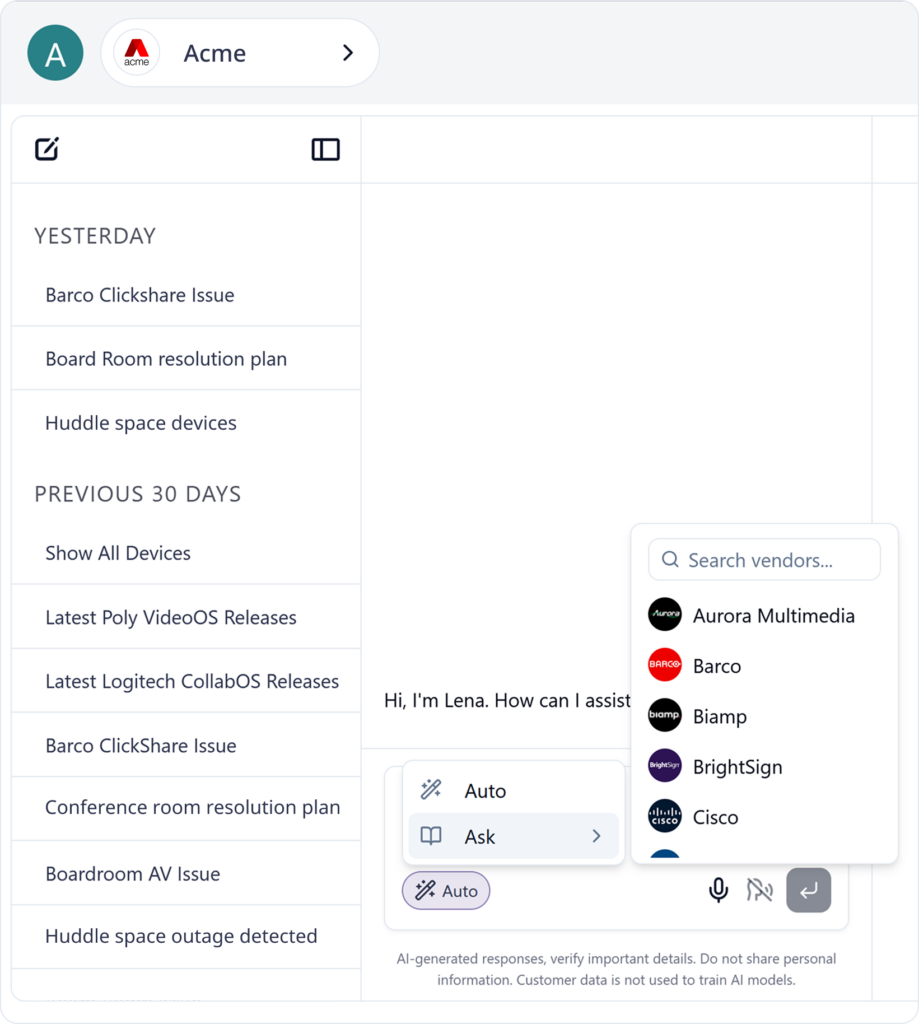
- Chat modes: choose between Auto and Ask (formerly known as Focus Mode) depending on your need
- Full conversation history with the ability to rename and delete conversations
- Per-conversation state: switch between conversations without losing context
Enhanced knowledge search
- Cross-vendor search across all supported device vendors for protocols and features
- Improved source attribution in documentation-based answers
- Vendor disambiguation when product terms are ambiguous
Voice interaction / natural language processing
- Listen to Lena’s responses via audio playback
- Speak your questions with improved audio transcription
- Typically requires providing the Lena tab of your browser with permission to access your microphone
Chain of thought
- See Lena’s reasoning process as she works through complex questions
4. UI 1.1: Console experience and NetSpeek Canvas
The 1.1 interface is built around a simple idea: Lena should always be available, and managing devices should feel direct. The updated console keeps Lena accessible alongside your device views, so you can troubleshoot, ask questions, and take action without switching contexts. Updated typography and a refreshed chat interface with modern components lay the groundwork for faster Lena UI updates going forward.
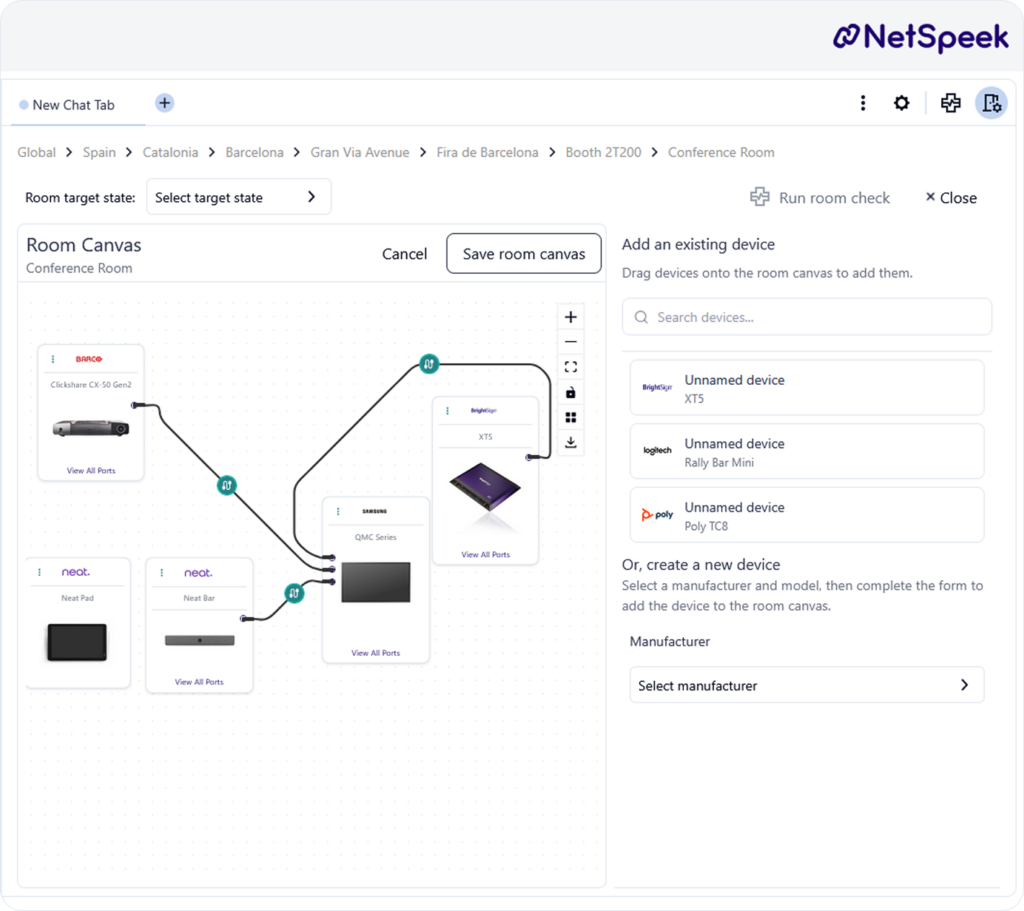
NetSpeek Canvas updates
The Canvas now supports the full device lifecycle within the room view:
- Unassign and reassign devices – Move a device from one room to another without losing its integrations, credentials, or configuration
- Visual device provisioning – Add new devices directly from the Canvas with a visual picker for manufacturer and model
- Device details and controls card – View device status, connection info, and available actions in a side panel directly from the Canvas
- Unassigned devices view – A dedicated view for devices not yet placed in a room, making it easy to find and organize unplaced equipment
5. Security improvements
- Audit logging – Tracks Lena actions and user operations with RBAC-scoped audit logs, providing a clear record of who did what and when
- Request validation – Improved anti-forgery token handling and input sanitization